How to make a PDF smaller for an upload limit
Compare the original and compressed PDF sizes, then check whether the downloaded file meets the recipient’s limit.
By PDF Bop ·
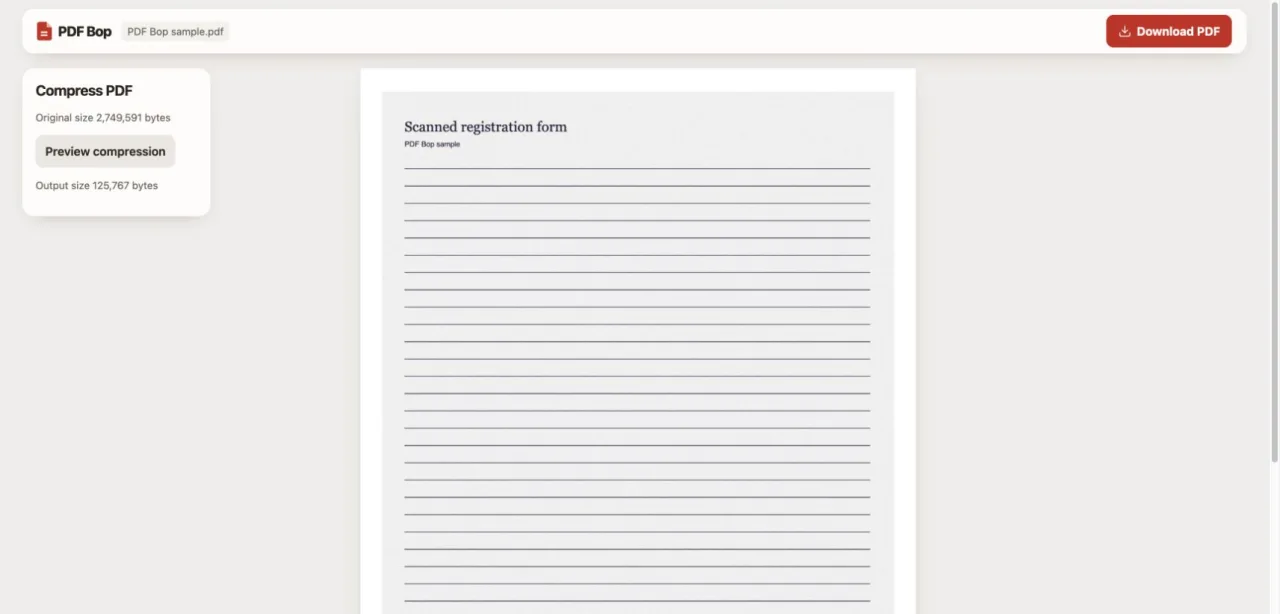
If a form rejects your PDF because it is too large, note the maximum file size shown by the portal. The important comparison is between that limit and the size of the finished file, even if the portal and your file manager display the units differently.
- Open Compress a PDF and select one PDF.
- Compare Original size with the recipient’s limit.
- Select Preview compression and check Output size. PDF Bop reports the actual output in bytes.
- If it fits, select Download PDF, then reopen the copy and check that the text and scanned details are readable.
The public sample illustrates the comparison. Its size moves from roughly 2.75 MB to 126 KB. Your result depends on what the PDF contains. A file that is already small or optimized may change very little.
If the compressed result still exceeds the limit, check whether the recipient allows separate files or fewer pages. Extract only the pages they request, or start from a smaller scan when that is practical. For several files with individual limits, the packet preview shows the results file by file.