When can you edit existing text or images in a PDF?
Tell the difference between adding something to the page and replacing an object already stored in the PDF.
By PDF Bop ·
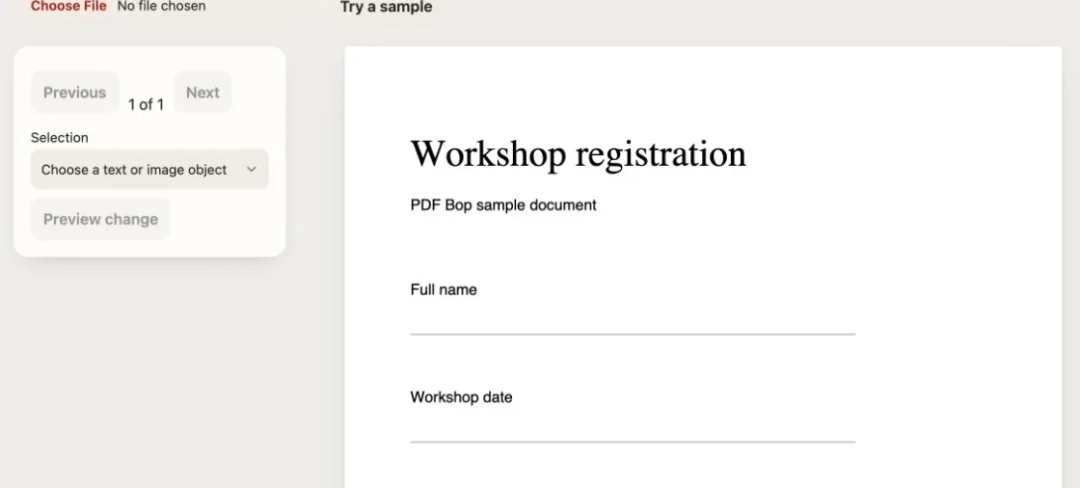
A visible sentence can be a text object, a group of shapes, or part of a scanned picture. The appearance alone does not tell you whether the original words can be replaced.
| The change you want | Start here |
|---|---|
| Put a note in an empty margin | Add text |
| Correct a date already printed in a digital PDF | Edit existing PDF text and images |
| Put a new logo in an empty space | Add an image |
| Replace a photo already embedded in the document | Original-content editor |
Check a replacement in the preview
Open the PDF in the original-content editor, go to the intended page, and open Selection. Pick a supported text or image object. Enter the replacement text or choose a JPG or PNG, then select Preview change. Look at nearby text to make sure the replacement fits the available space.
The tool supports certain top-level text objects using supported PDF fonts and certain embedded images. A scan, a signed PDF, or a complex embedded font can affect what appears in the object list. If the intended item is unavailable, use the editable source document when you have it. The public PDF Bop site lets you inspect the preview.